Artbench

The art side of your game, in one place.

Artbench reads your Unity project, and the art folder you keep beside it: what each asset is, what uses it, what nothing uses, and what changed since you last looked. It runs on your computer.

Artbench 0.1.0 · Windows 10/11, 64-bit · about 11 MB · nothing to install · free · release notes

Ask

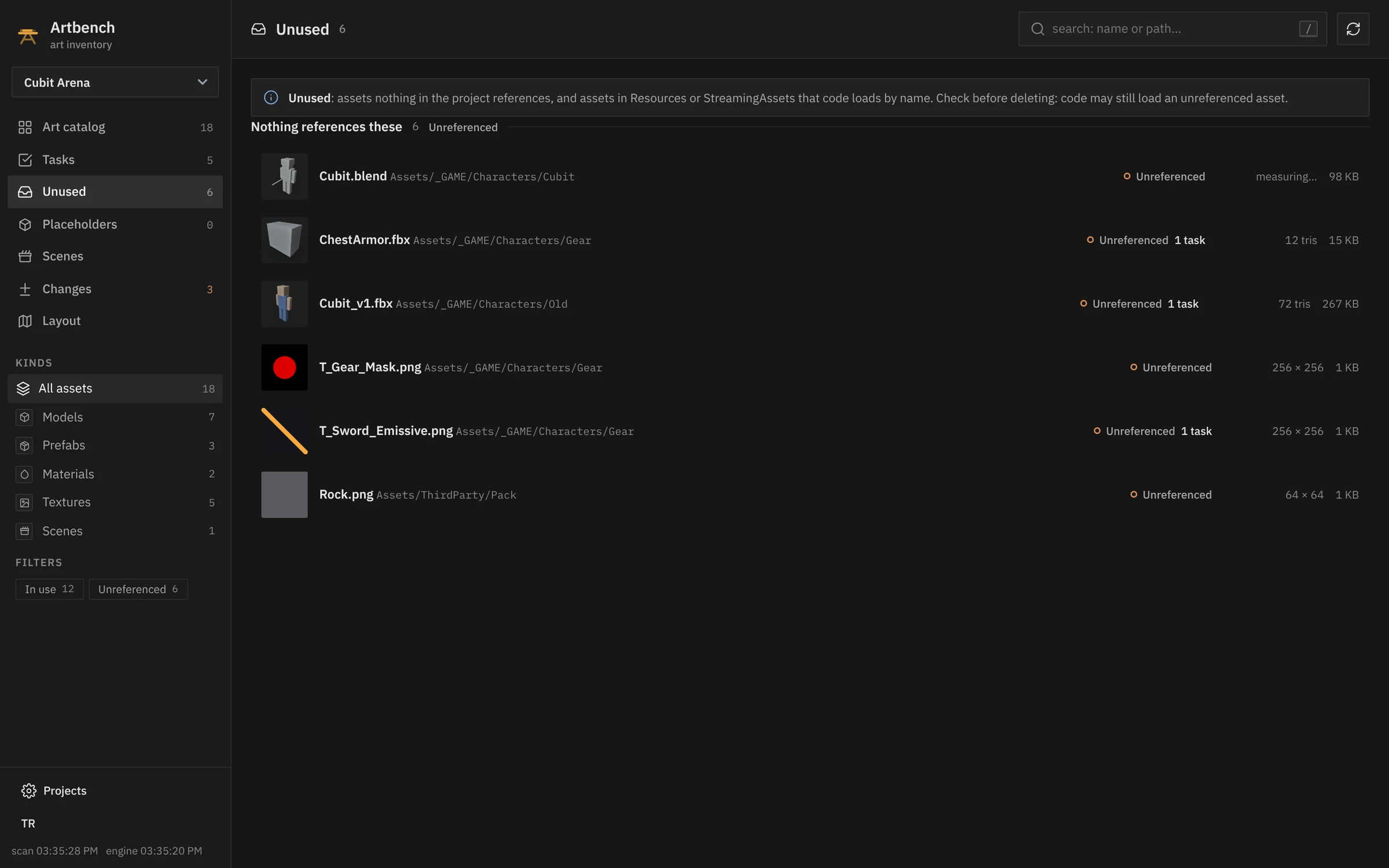
Which of these textures does nothing use?

The Unused view: six assets nothing in the project references Nothing references it A task is already on it Textures too, with their size
Assets nothing in the project references get their own list, apart from the ones code loads by name. Check before you delete; Artbench never deletes anything itself.
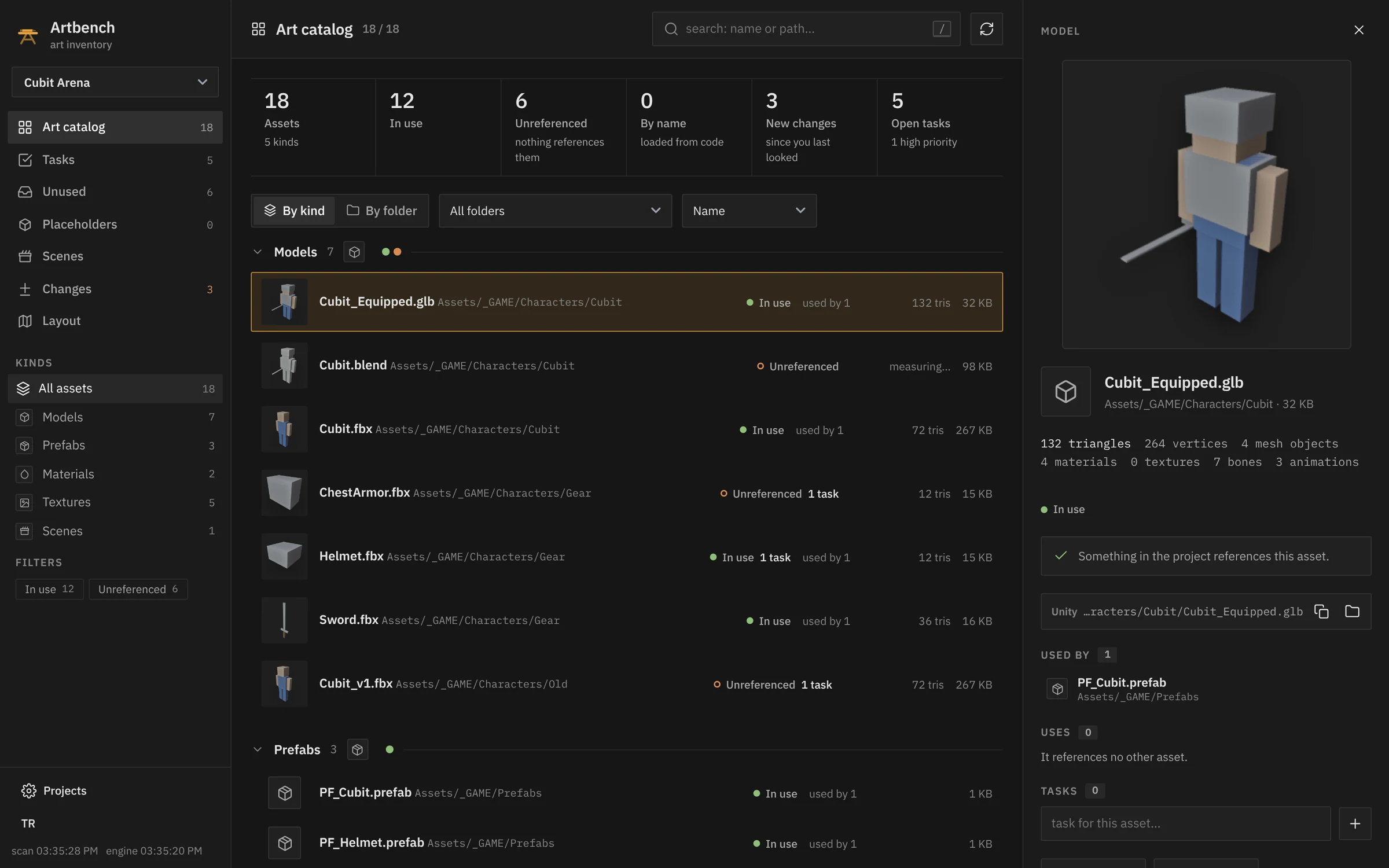
The art catalog with a model's card: its preview, triangles and what uses it Read from the file itself What uses it In use, used by 1
Every model, texture, material, prefab, scene, animation and sound, with previews, triangle counts and texture sizes. Read from the project's own files; Unity doesn't have to be running.
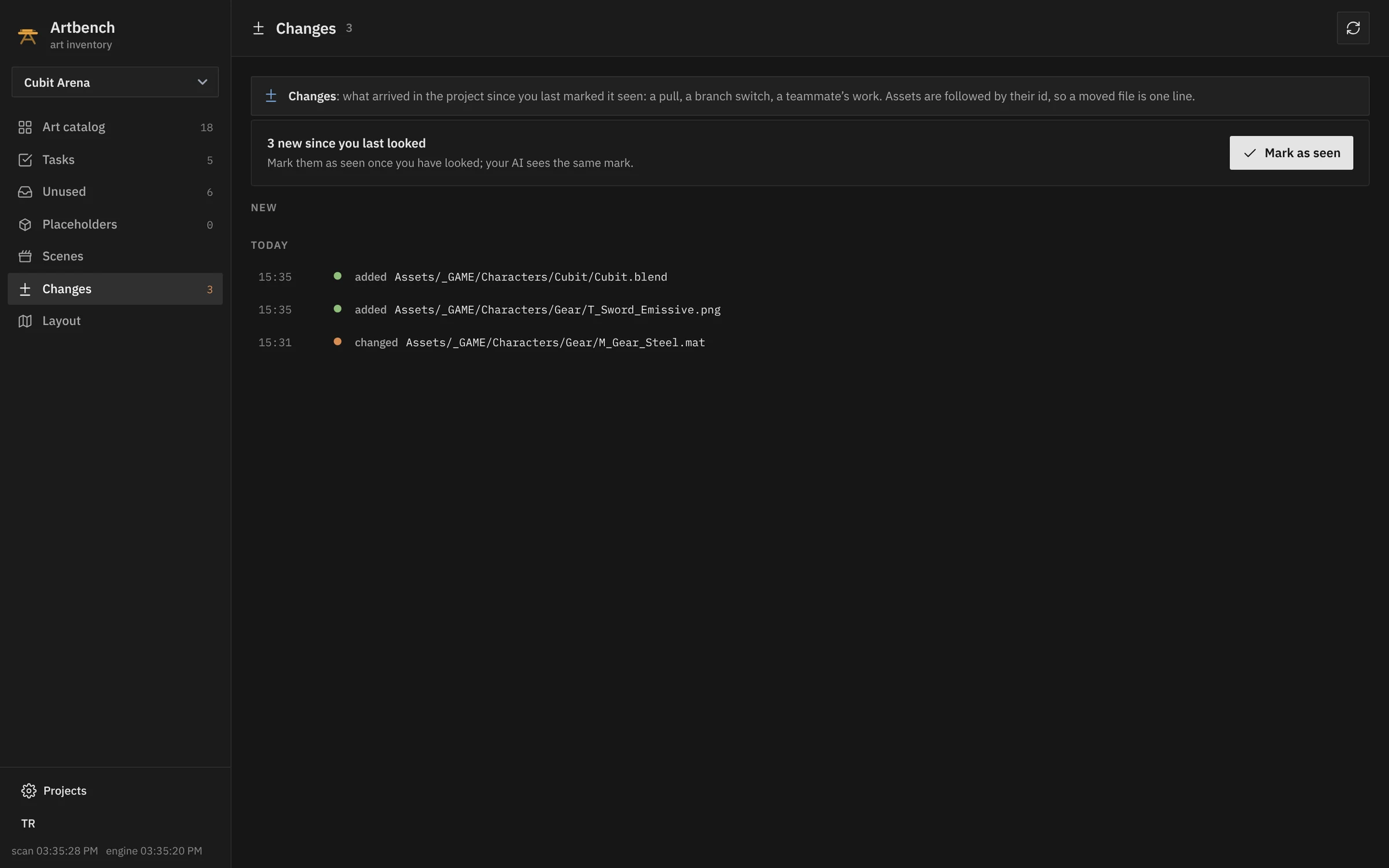
The changes since the last look The list starts again from here Added, changed, moved, removed
After a pull, a branch switch or a teammate's work: what arrived, in one list. Assets are followed by their id, so a moved file is one line.
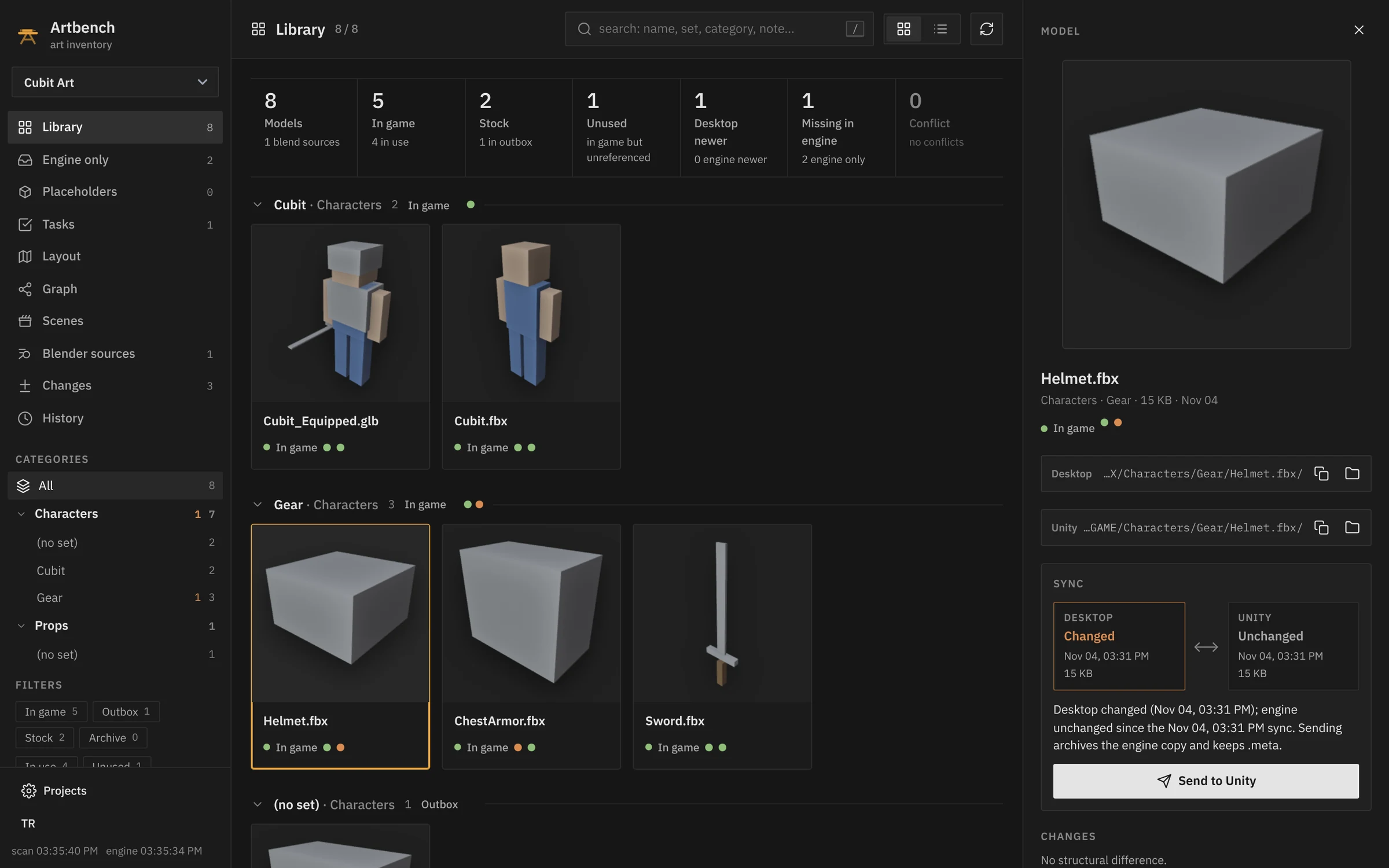
A model's sync panel: changed on the desktop, unchanged in Unity Your copy is newer Send it, with a plan Your folder and the game, paired
Keep your FBX, Blender and texture files in your own folder. Artbench pairs each one with its copy in the game and tells you which side is newer.
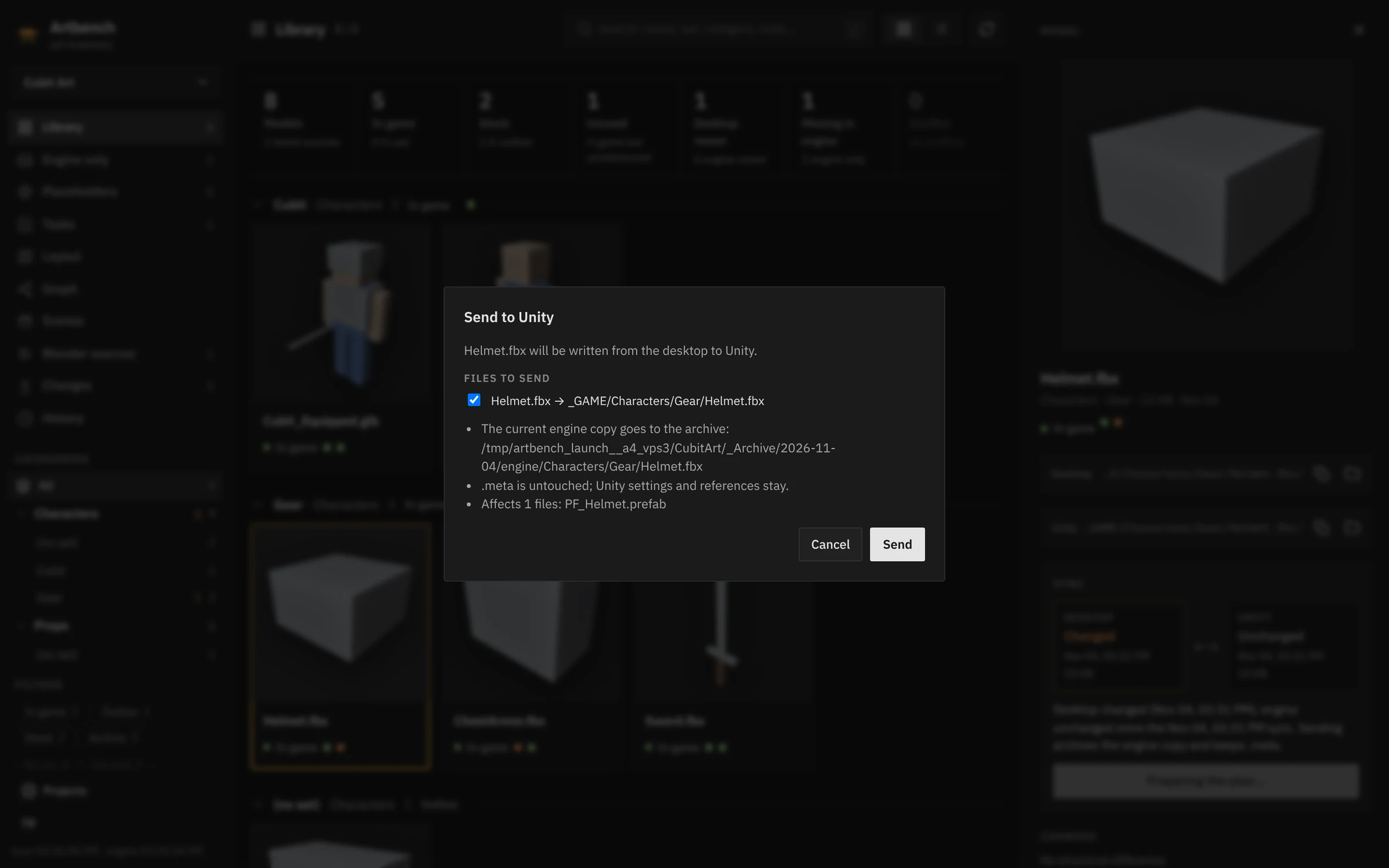
Sending a changed model to Unity: the plan to confirm The old copy is archived .meta stays: references keep working Nothing moves until you say so
Send a model to Unity, pull one back, or bring a Unity model into your folder: always with a plan, file by file, that you confirm first.
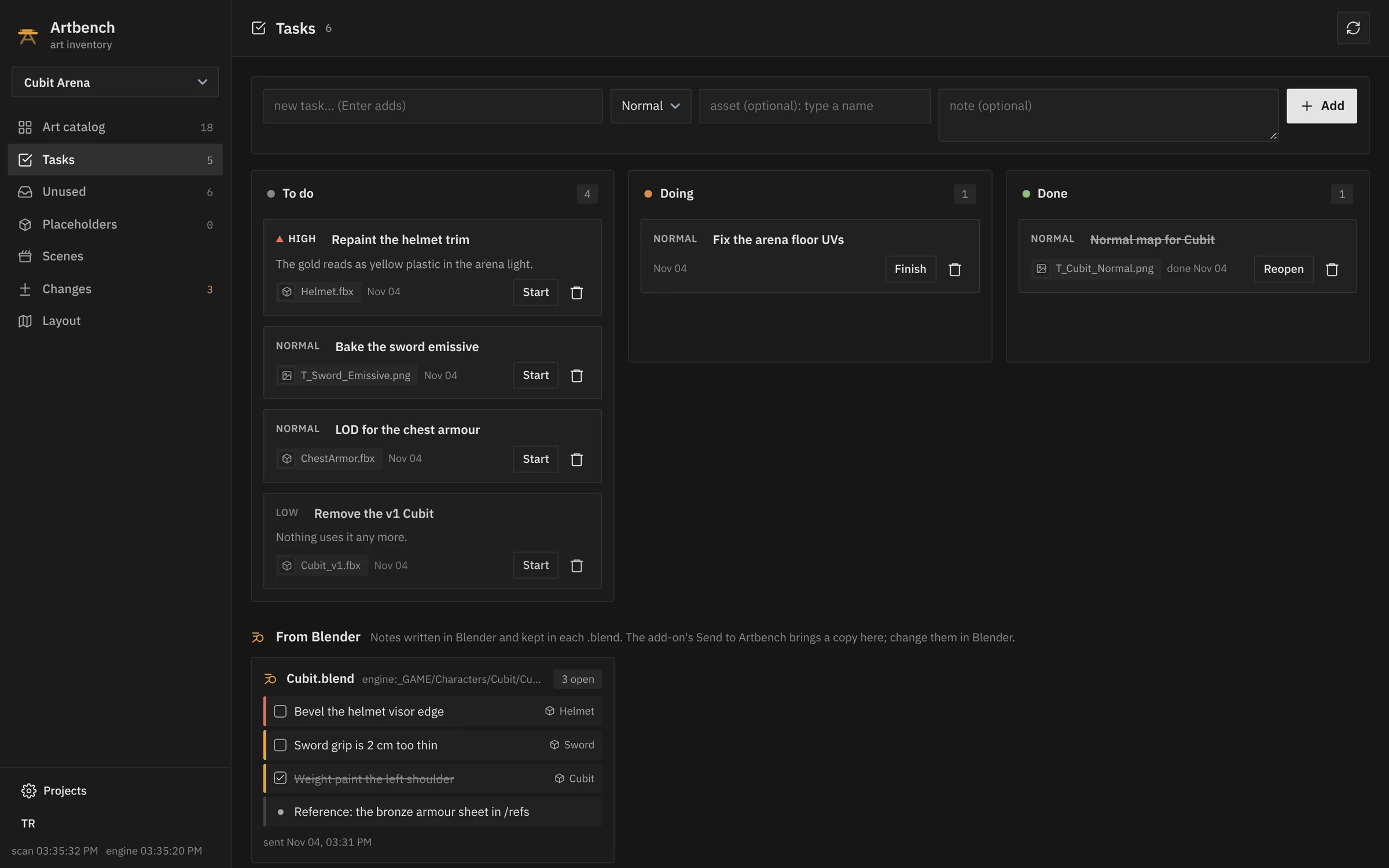
The task board and the notes sent from Blender Tied to Helmet.fbx Notes written in Blender One click: Start, Finish
Tasks with priorities, tied to an asset when you want, beside the notes you pinned in Blender. Your AI tool sees the same board.
Localruns on your computer; nothing is uploaded
11 MBPython inside, nothing to install
Unityread from its own text files
Blender 4.2+previews, triangles, the notes add-on
MCPClaude Code, Gemini CLI, Codex

In Blender

Notes that sit on the model

The Artbench add-on pins notes and to-dos to your objects in Blender's 3D view. They're kept inside the .blend and work without Artbench. When it's running, one click sends them to its task board.

Edit › Preferences › Get Extensions › Install from Disk: artbench_bridge.zip, in the download or on its own.
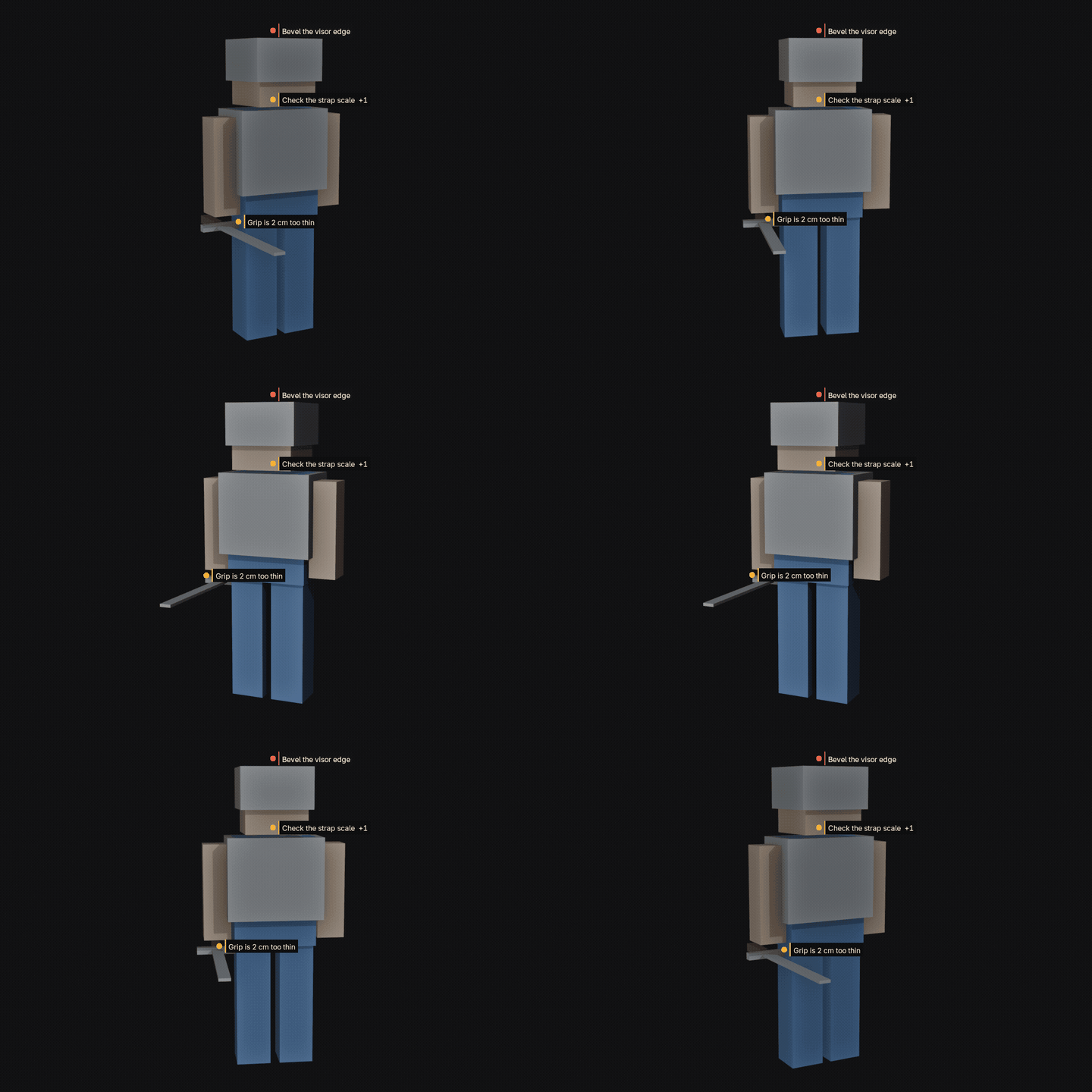
Note pins beside the objects of a Blender scene

Your AI tools

Ask in words, get the list

Claude Code, Gemini CLI and Codex can use Artbench over MCP: what nothing uses, what changed, what a material ends up in. They can add a task to the board too. The Projects screen adds Artbench to Claude Code in one click.

claudeartbench over MCP
> What does nothing use in Cubit Arena?
  artbench · unused
  6 assets nothing references:
    Cubit.blend         Characters/Cubit
    ChestArmor.fbx      Characters/Gear    1 task
    Cubit_v1.fbx        Characters/Old     1 task
    T_Gear_Mask.png     Characters/Gear
    T_Sword_Emissive    Characters/Gear    1 task
    Rock.png            ThirdParty/Pack
> Add a high task: the sword's grip clips the hand.
  artbench · task_add  priority=high  asset=Sword.fbx
  ✓ added to the board

The rule

Nothing is overwritten silently

  1. Artbench writes nothing into your Unity project on its own.
  2. Every send or pull shows a plan, file by file, and waits for your OK.
  3. A file changed on both sides is a conflict that waits for your decision.
  4. Replaced copies go to an archive. Nothing is deleted.

Install

Three steps, no installer

  1. 1
    Download Artbench 0.1.0 for Windows and unzip it anywhere, but not inside a game project.
  2. 2
    Double-click Artbench.bat. If Windows SmartScreen warns you, choose More info, then Run anyway.
  3. 3
    Open Projects and pick your Unity project, and your art folder if you have one.

Optional

Blender 4.2 or newer adds model previews, triangle counts and what changed inside a model.

The Blender add-on is in the download (blender_addon\artbench_bridge.zip), or on its own.

Good to know

Usage and references need the Unity project saved as text (Unity's default, Force Text).

Settings stay in the Artbench folder. To remove it, delete the folder; nothing else is installed.

Türkçe

Artbench Unity projeni ve yanındaki art klasörünü okur: her varlığın ne olduğunu, neyin kullandığını, neyin hiç kullanılmadığını ve son baktığından beri ne değiştiğini gösterir. Modelleri oyuna ve geri, onayladığın bir planla taşır; hiçbir dosyanın üstüne sessizce yazmaz. Blender eklentisiyle notlar modelin üstünde durur. Windows için indir · Türkçe kılavuz